Web HMI
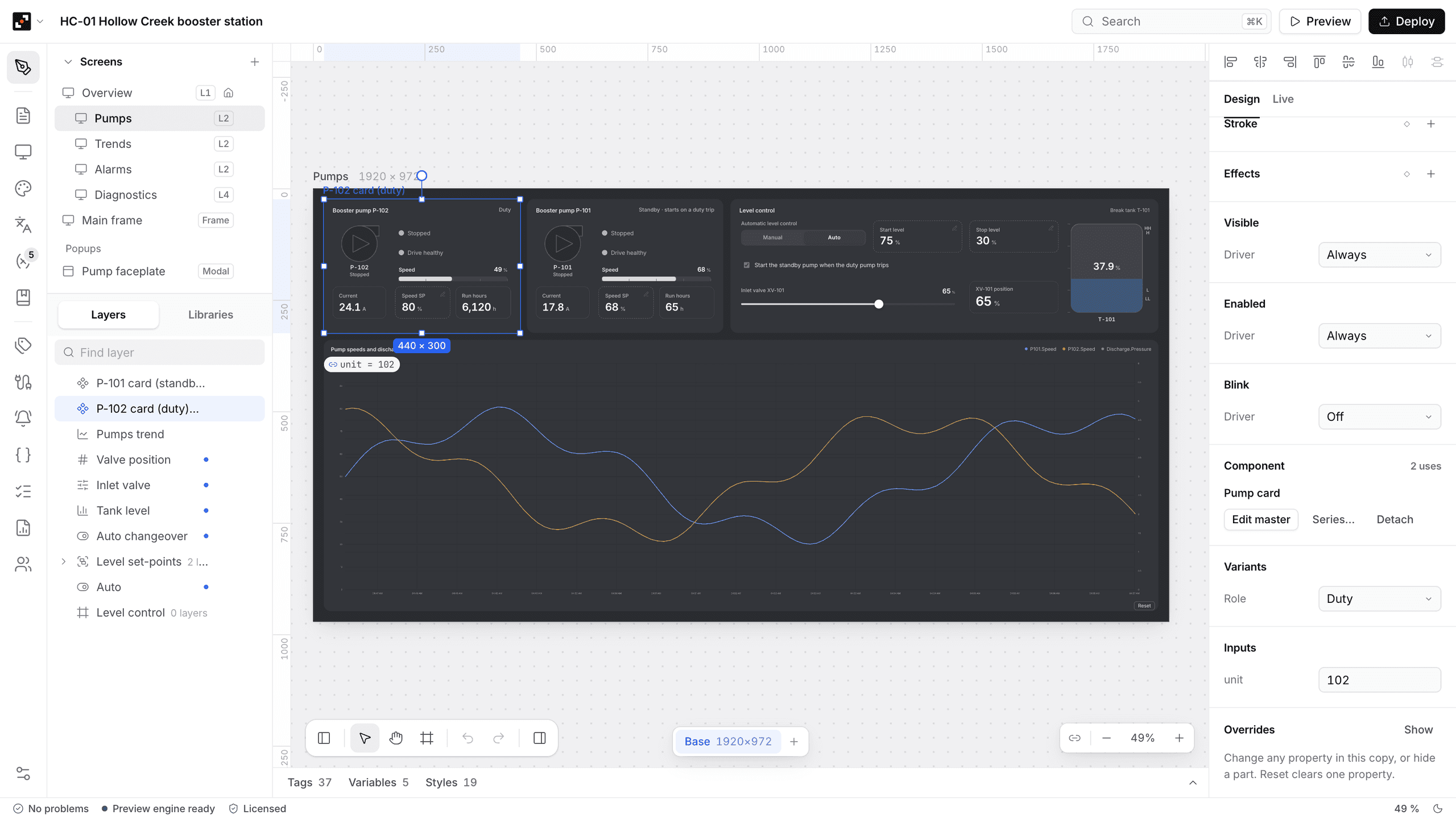
Web-based HMI: design in the browser, operate from a browser on the LAN.
LinkView Studio runs in the browser, so designing screens needs no install, and a 3-day trial gets you started. When a project turns it on, the station serves a web client for signed-in browsers on the LAN.
Design in the browser
- Start from 42 widgets: pumps, valves, motors, VFDs, conveyors, PID faceplates, trends, alarm lists and login forms.
- Keep colours in project tokens, and give a screen layout variants for other panel sizes.
- In the browser, Preview runs your screens against a built-in pump-station simulator and never contacts a device. A deployed Runtime is what talks to the PLC, and deploying needs a seat.
- An account holds up to 200 projects and 200 MiB of revisions and assets.
Run and operate
- LinkView Runtime, included with the seat, runs the screens on the station.
- When a project turns it on, the station serves a web client for signed-in browsers on the LAN.
- It runs over HTTPS, 5 sessions by default and up to 50. Browsers sign in with a password, never a PIN, and get the operator's screens, alarms, trends and recipe loads, but nothing that administers the station.
- Users, roles and plant areas decide which screens an operator receives and which tags they may write.
- If a new package cannot start, Runtime goes back to the last-known-good one.
What it costs
Studio is €399.99 per seat per month or €3,999.99 per seat per year, in EUR. Runtime is €0 on any number of stations. The trial lasts 3 days and asks for no payment details.
Questions
Do I need to install anything to design screens?
No. Studio runs in the browser, and the 3-day trial starts as soon as you sign up. Runtime, included with the seat, runs the screens on the station.
Can operators use a browser instead of a panel?
Yes, on the LAN. When a project turns it on, the station serves a web client over HTTPS. Browsers sign in with a password and get the operator's screens, alarms, trends and recipe loads.
Can the browser Preview talk to my PLC?
In the browser, Preview runs your screens against a built-in pump-station simulator and never contacts a device. A deployed Runtime is what talks to the PLC, and deploying needs a seat.